
Sign In Guide
Open sign-in →For invited players, guardians, coaches and admins.
Sign in · step by step
Step 1 of 6
Example screens · not your account.
Action
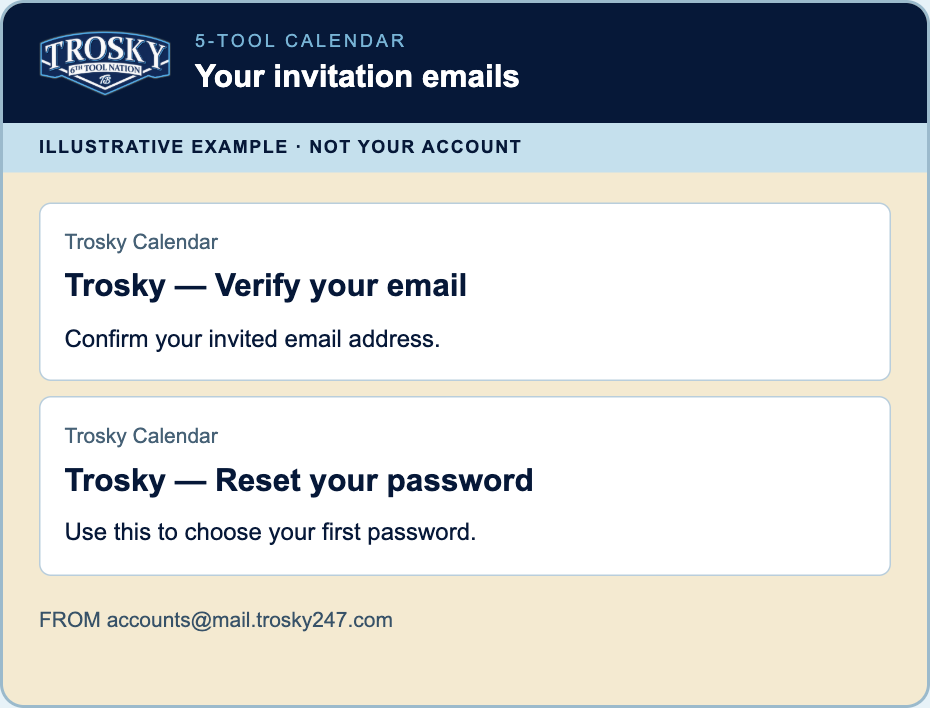
Receive your invitation
Use the email address that received your invitation.
Look for: email from accounts@mail.trosky247.com. A South Bay address by itself does not grant an account.
Action
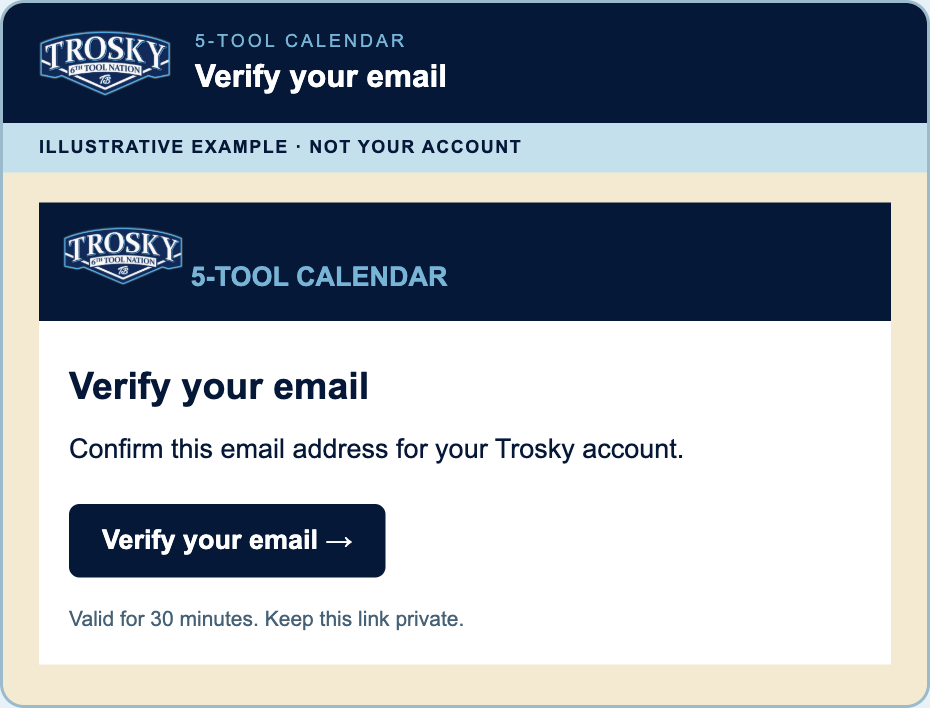
Verify your email
Open the newest Trosky - Verify your email message and press Verify your email.
Look for: the newest private link. It expires after 30 minutes. Verification confirms the address; it does not choose your password.
Action
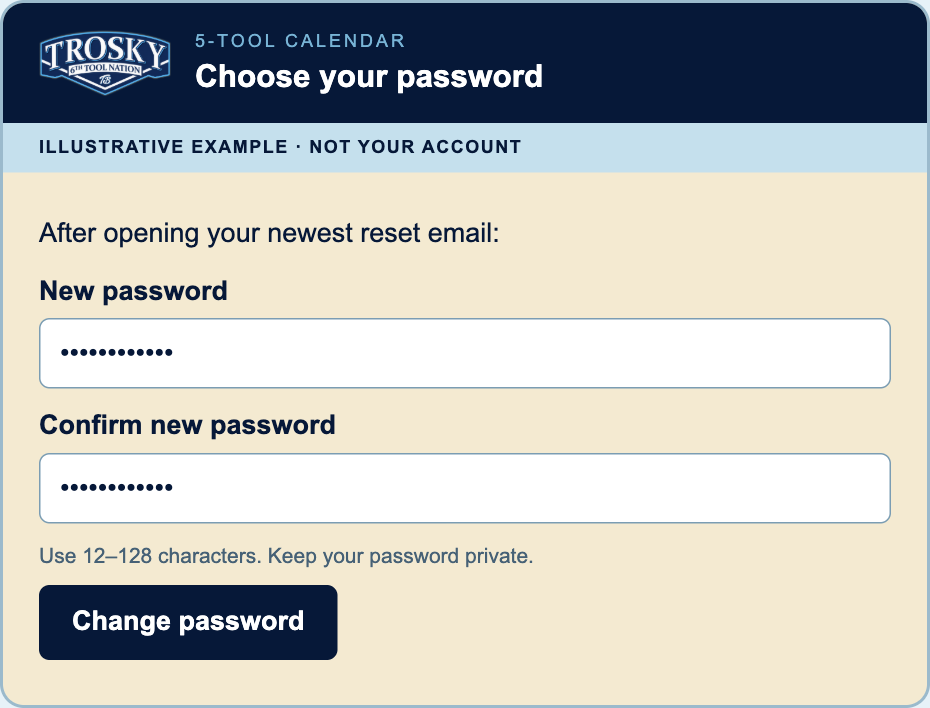
Choose your password
Open the newest Trosky - Reset your password email and press Reset your password. For a new account, this creates your first password.
Look for: a 12–128 character password form. The link expires after 30 minutes. Never send the password to Tony or a coach.
Action
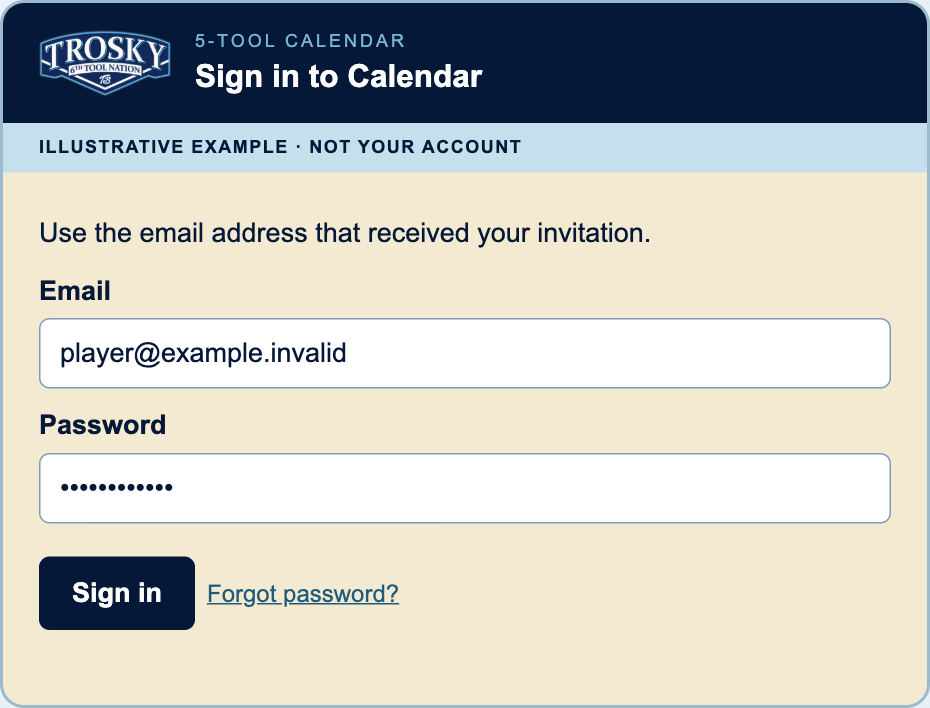
Sign in to Calendar
Press Open sign-in, then enter your invitation email and the password you chose.
Look for: Forgot password? if an old link expired. Unfinished email verification needs a new verification message.
Action
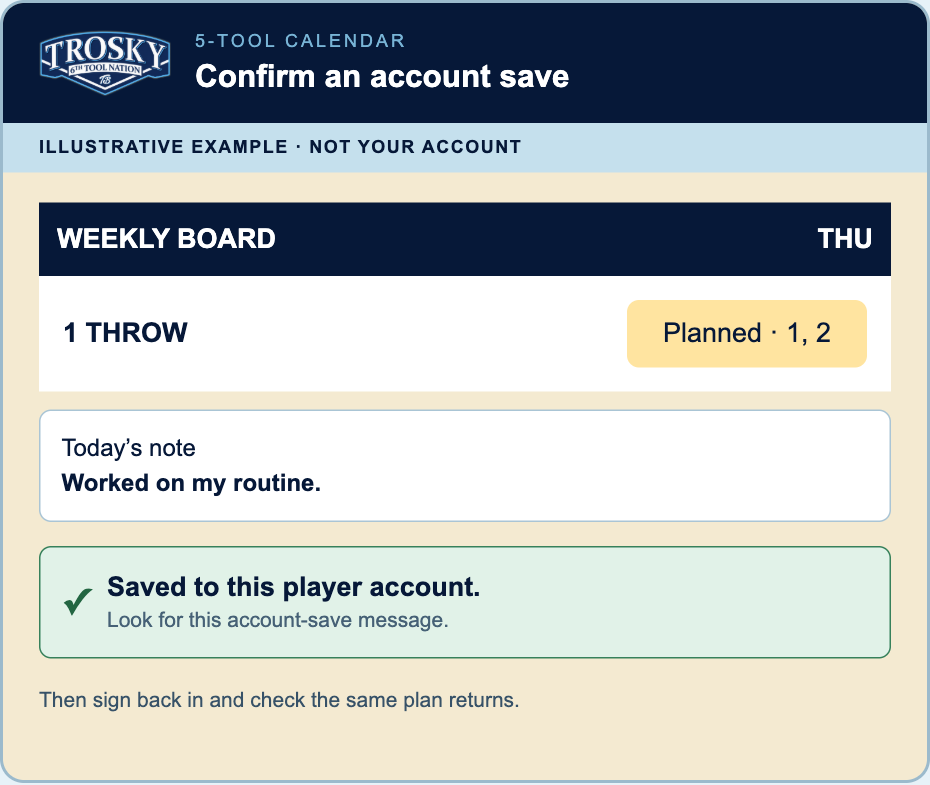
Confirm one saved plan
Plan a Weekly Board session and save a note. Wait for the account-save confirmation. Sign out, sign back in, and confirm it returns; then check the same account on a second device.
Look for: an account-save confirmation. A local save alone is not proof of account sync.
Action
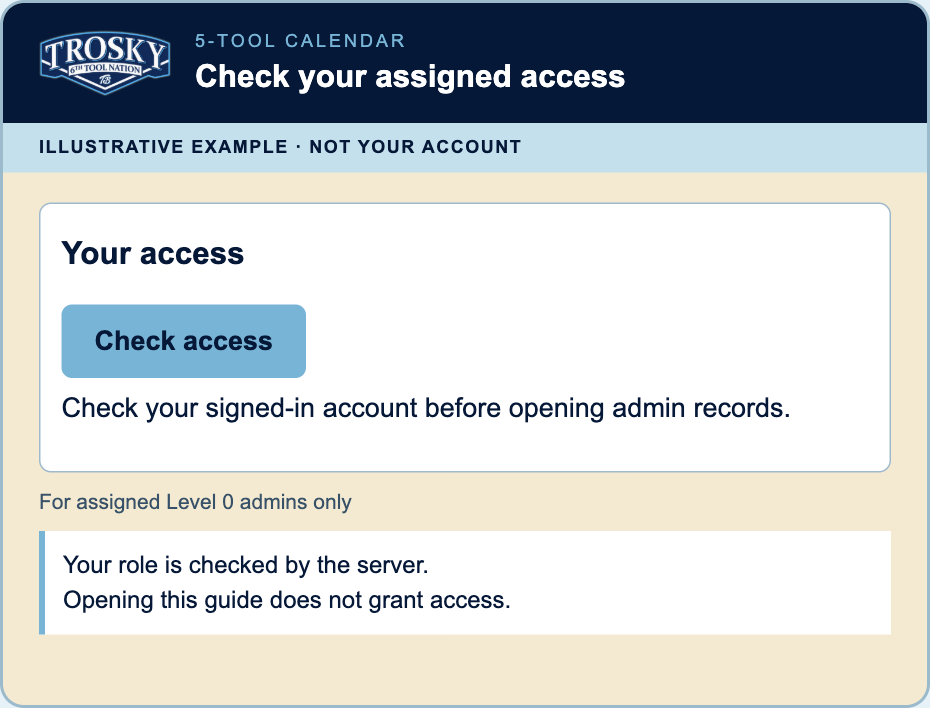
Check your access
If you were assigned Tier 0, finish this guide, open Your access below, and press the real Check access button there.
Look for: a server-confirmed grant. This picture and this guide never reveal records or grant a role.
Guide complete. This confirms only that you viewed all six steps; it does not confirm an account or access.
Your access
Sign in first, then return here and press Check access.
A guide or screenshot never grants access. Check access reads the active server grant.
Resources
Walkthroughs, packet, images and invitation templates.
These guides and example images are shareable. Personal invitation letters and private setup links are not stored here.
Learn the Calendar
Lesson 1 of 3
Pictures are illustrative app examples. Your own dates, drills, notes and grades may differ.
Current app · sample data
Record the day
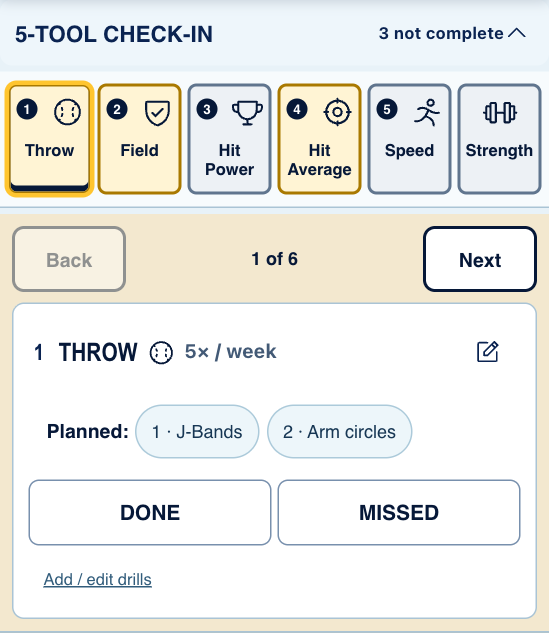
Today’s Check-In
Open 5-Tool or Nightly, use Back/Next to review one item at a time. Notes and grades are optional.
Look for: Done/Missed actions, dated note controls, planned-drill details, and Grade in the top bar.
Current app · sample data
Plan the week
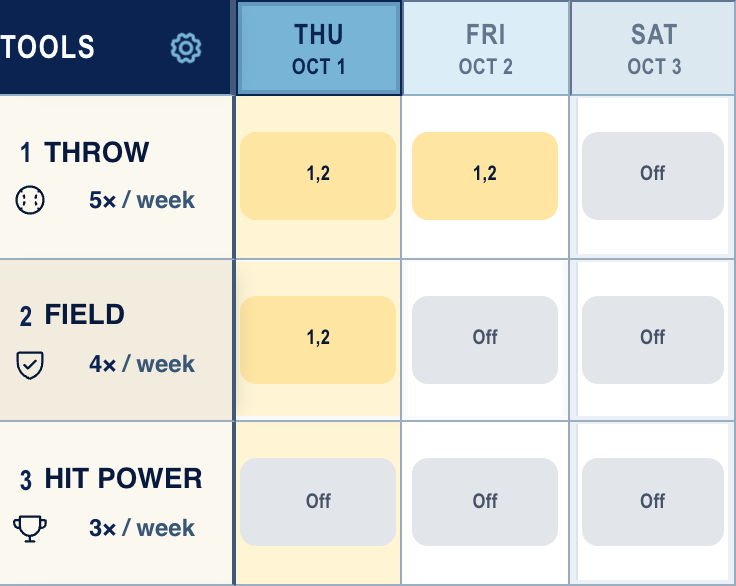
Weekly Board
Choose the week, tap a tool’s day cell, select drills if useful, and save the session.
Look for: sticky Tools/day headings, day arrows, weekly targets, and the gear for Days and Key.
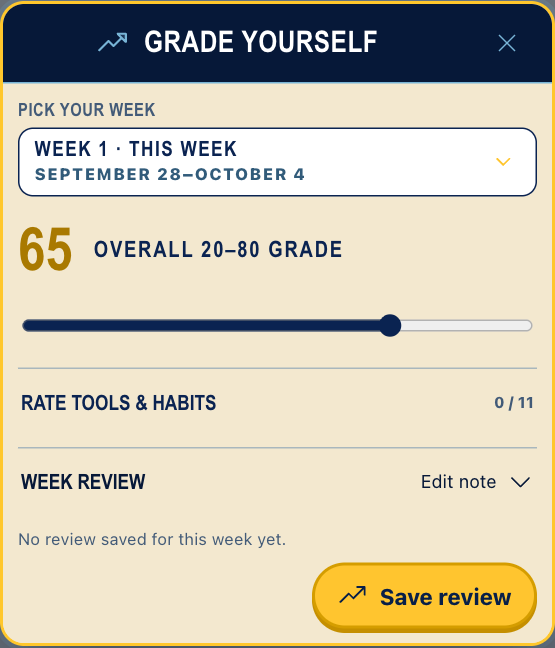
Current app · sample data
Review the week
Grade Yourself
Open the current or a past week, review the completed plan, choose the weekly ratings, and save.
Look for: the selected week and saved weekly review. It does not replace daily Check-In grades.
Calendar guide viewed. Your Calendar data was not changed.
Admin access & onboarding
Admin step 1 of 5
For authorized admins. These explainers do not grant, activate, or edit access.
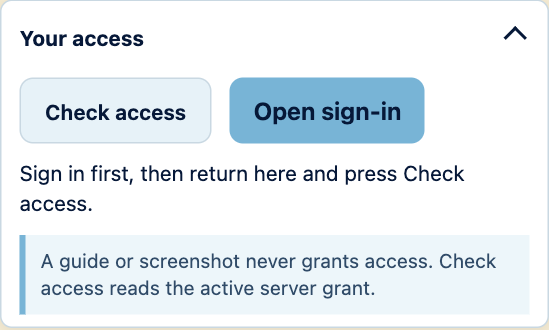
Current app · sample data
Confirm current access
Sign in, then Check access
Use the real Your access controls above. An active Tier 0 account opens Accounts, Activity, Email, Teams & access, and Roster.
Use Accounts for account-wide access. Use Teams & access for direct scope roles. These are separate changes.
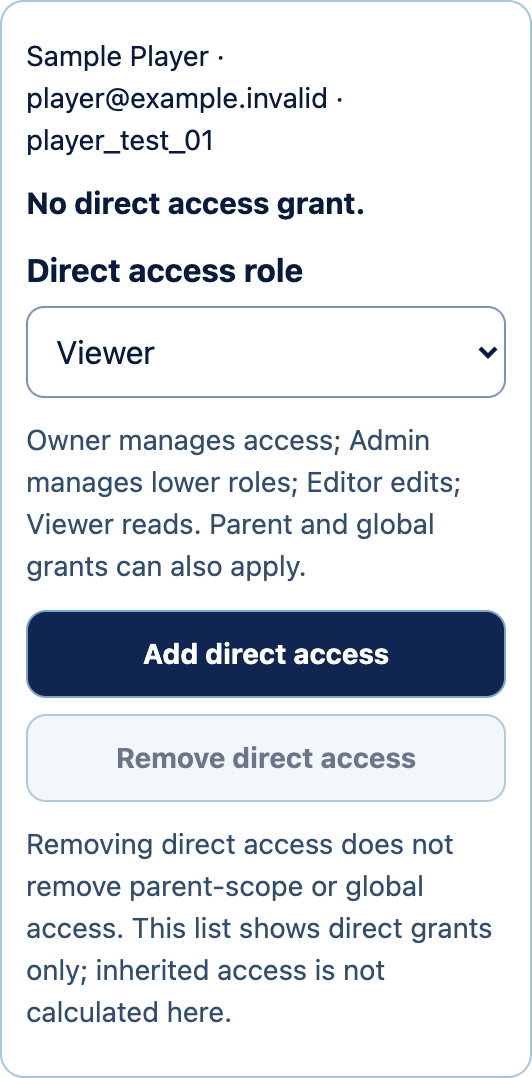
Current app · sample data
Manage direct access
Choose the team and person
Open Teams & access. Choose a scope, an existing account, and the direct role. Review the named confirmation before saving.
Removing direct access leaves any parent-scope or global grants in place.
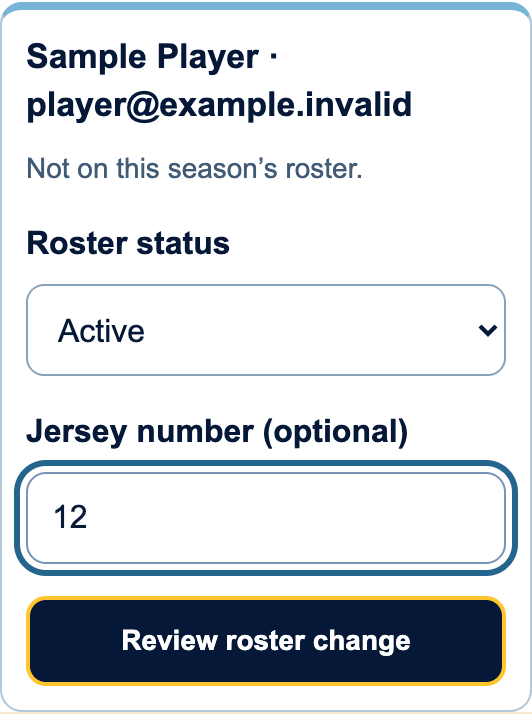
Current app · sample data
Update the roster
Choose a season and player
Open Roster. Choose the team, season, and existing account. Set the roster status and review the change.
Roster changes do not create accounts or send invitations.
Admin explainer viewed. No role, scope, or account was changed.
Sharing, saving & more help
Try it without signing in
Open the sample Calendar. It includes a filled current week and saves your changes separately in this browser. Open the profile circle and choose My calendar to leave the sample.
This does not create a player account, send an invitation, share records with a coach or sync changes to another device. Clearing browser data can remove local work; keep a backup.
Share the Calendar by text
Use the sample link when someone wants to try planning and checking in without signing in. Their changes stay in their own browser; the link does not grant admin access.

The receiving messaging app decides whether to show the image card. Older conversations may keep a cached preview. A link preview is separate from invitation or password setup.
Drills and notes
Choose a drill to read its supplied instructions or links. Use the pencil for your own dated note.
Custom drill details stay in this browser. Keep a separate backup.
Save and move between devices
Check your account’s save status before changing devices. Guest work stays in this browser.
In Settings, export a JSON backup or choose Print / Save PDF.
Need a new setup link?
Open Calendar account → Forgot password. Use the newest email from accounts@mail.trosky247.com.
Never forward a private setup link. Phone-code sign-in is not available.
Rollout plan & printable guide
Reference material. These links do not sign you out.